In controlled deployment scenarios, it is usually not desirable to allow software to automatically check for available updates and have these installed automatically.
Automatic update checking can be disabled in TreeTop by injecting a registry key as part of the deployment process.
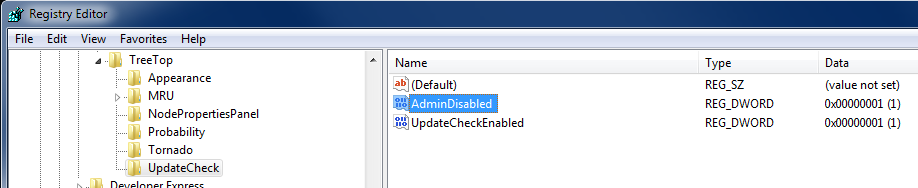
The key needs to be inserted under
HKEY_CURRENT_USER\Software\Decision Frameworks\TreeTop\UpdateCheck
The key name is
AdminDisabled
of type REG_DWORD and must to be set to 1.
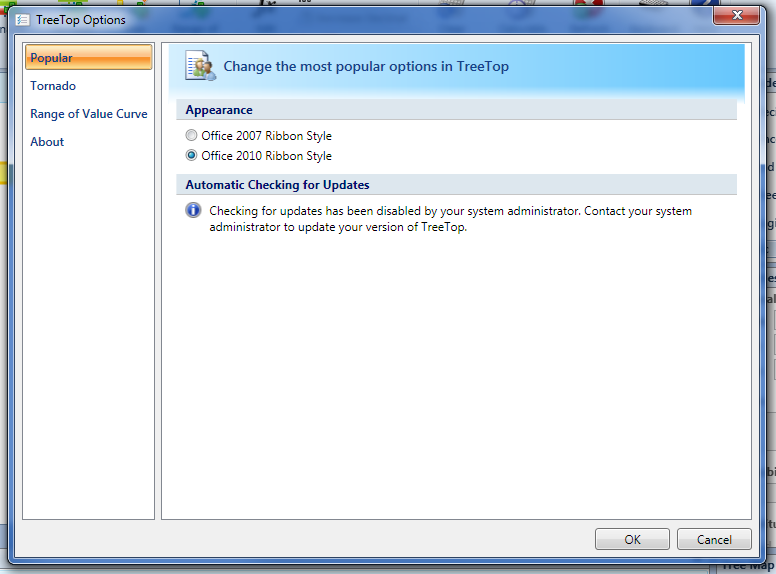
When the user checks the options for automatic update checks, he is presented with a message that indicates clearly that automatic updates for the software have been administratively disabled.
The automatic update checking options can be found under TreeTop Options --> Popular.
IT and Administrative Reference
Administratively Preventing Automatic Update CheckingExcel Type Library Error